


Landscaping Website Design
I design and build websites for landscaping companies — design-build, hardscape and maintenance: large project galleries with before and after, separate paths for new projects and upkeep, and a consultation request that works on a phone.
- Design + build, one price
- From 700 €
- Reply within one business day
What you get with landscaping website design
- A page for every finished projectWide photos, before and after, plan next to result
- Two paths: new landscape or upkeepDesign-build and maintenance never share one button
- A first screen that follows the seasonSpring design, summer patios, fall cleanups, winter snow
- A consultation request with yard photosProject type, budget range, timing, survey or plot plan
- Licenses, insurance and warranty in viewNext to every request button, written as text
- Readable by Google and AI assistantsProjects, services and areas as text, not only images

Architecture Website Rebuild and SEO
29× organic trafficLoads in under 1 sTop 3 in Poland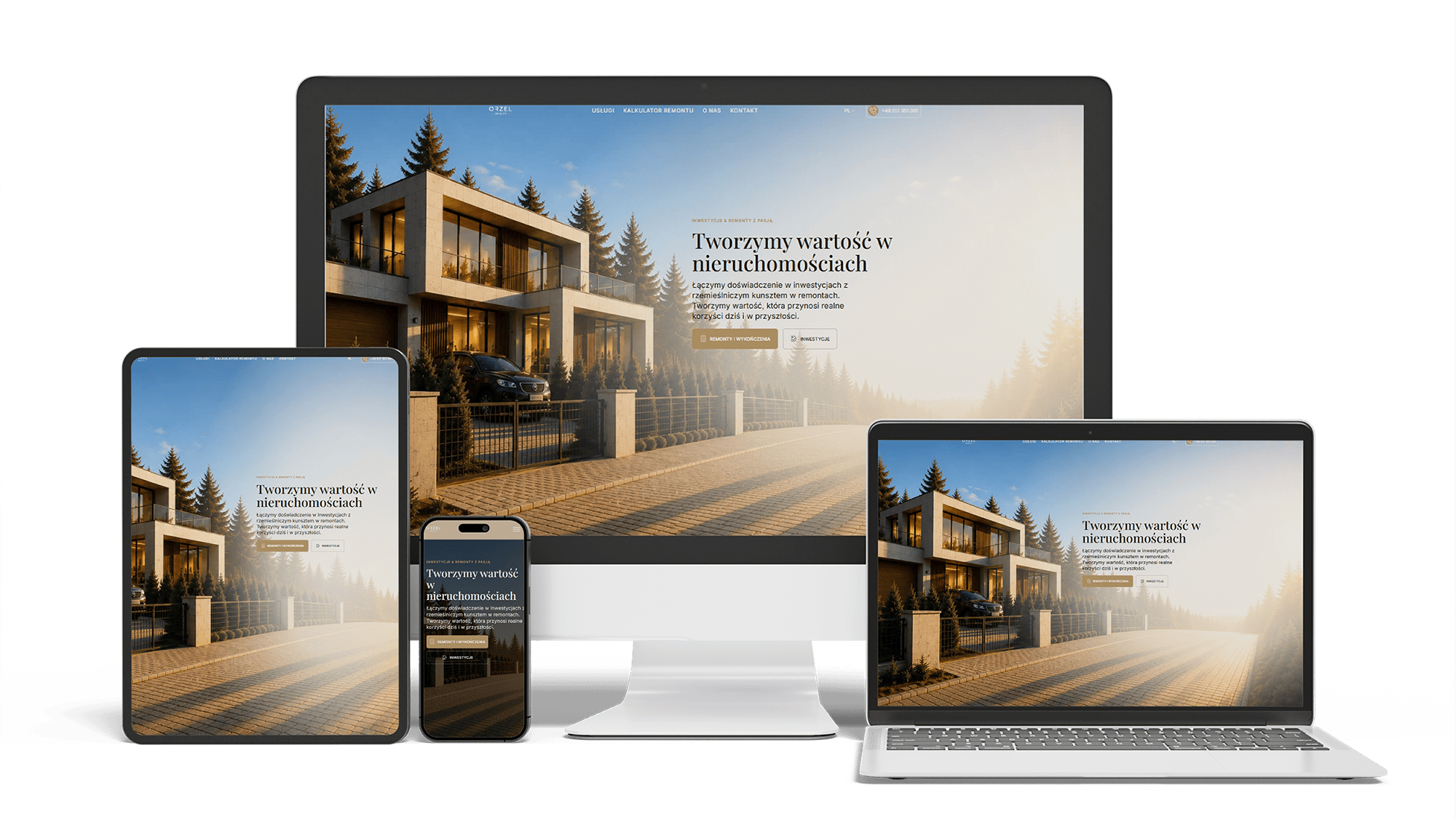
Renovation and investment website with a premium feel and 96/98/100/100 performance
96/98/100/100Design system2 languages
Full WordPress Rebuild for a Car Rim Restoration Company
92/91/96/100Photo quote formLocalBusiness markup
Auto Repair SEO & UX Boost
Performance 90++10% organic trafficLeads from forms
A multilingual landing page for a wheel and tyre storage business
100/95/100/1003 languagesClient edits it
Get a quote for your landscaping website design
I reply within one business day with a proposed layout for the first screen, a project page and a maintenance page, and a fixed price.
I design websites for landscaping companies and build them myself — design-build firms, hardscape contractors and landscapers who also run maintenance crews — so design and build come from one person at one price. A landscaping company sells something the customer cannot see yet: a backyard that exists only as a plan. The design has to make that future garden believable through your finished work, then turn the visitor into a consultation or estimate request. This page is about websites for landscaping businesses, not about tools for homeowners who want to plan their own yard.
A homeowner planning a new patio or a full backyard looks for weeks before calling anyone. They save photos, compare three or four companies and judge each one by the work it shows. Landscaping website design is built around that habit:
- finished projects are the main content of the site, not a section near the footer
- every project page ends in a request for a consultation or an estimate
- the kind of work is clear at once — design-build, hardscape, planting, maintenance — so visitors know they are in the right place
- the towns you work in are stated near the top, so nobody falls for your portfolio and then learns you do not come to their street
A company that mostly mows and treats lawns needs a different site, organized around recurring service and online sign-up. That is covered on the lawn care website page.
Many landscaping companies do both: large projects in spring and summer, and weekly maintenance that keeps the crews working all season. The two customers want different things. A design-build customer brings a large budget and wants to see taste, skill and a clear process. A maintenance customer wants reliability, a defined scope and a price per visit or per month.
The design separates them from the first screen with two clear entrances:
- “Plan a new landscape” — portfolio, design process, consultation request
- “Keep my property maintained” — what weekly or seasonal service includes, the areas you cover, a quote request
Each path has its own pages, photos and button wording, so a visitor planning a pergola never lands on a mowing price, and a property manager is not pushed into a design consultation.
Landscaping is bought with the eyes, and the gallery is where visitors spend most of their time. In the design each project is a page of its own, not one thumbnail in a grid of eighty:
- a wide lead photo of the finished space, full screen width on a phone
- before and after from the same spot, with a slider the thumb can drag
- photos from the build — excavation, base, drainage, wall courses — because the work hidden under a patio is what separates a careful installer from a cheap one
- a short description: what the client asked for, the materials and plants, how long it took, the town
Design-build project pages: from the first sketch to the planted garden
For full designs the story sells as much as the result. A project page follows it in order: the site as it was and its problems — a slope, poor drainage, deep shade, a view to hide — then the plan or 3D rendering, the build, and the finished garden. A photo of the planting a year later, if you can take one, shows the design was meant to last. A visitor who sees the drawing next to the real garden trusts that what you draw is what gets built.
Hardscape project pages: patios, retaining walls and outdoor kitchens
Hardscape customers search by material and want to see the exact thing: paver patios, natural stone, retaining walls, steps, fire pits, outdoor kitchens. Projects can be filtered by type and material, so someone planning a stone wall sees only walls, with close-ups of joints, caps and edges where the quality of the work shows.
A landscaping site that shows a snowy yard in May, or a tulip bed in November, looks abandoned. The first screen is designed to change with the season, using your own photos:
- late winter and spring — design-build and planting, with “Book a spring design consultation”
- summer — outdoor living, patios, landscape lighting, irrigation
- fall — cleanups, fall planting, and design work booked over the winter
- winter — snow removal or holiday lighting if you offer them, and early booking for spring projects
Switching is a setting in the admin panel: a photo, a headline and a button for each season, prepared once and reused every year.
A landscaping project means heavy machinery on someone’s property, digging near utility lines and a large bill paid in stages. Visitors look for proof that you are a careful, established company. The design puts that proof next to every request button and on every project page:
- contractor license and insurance, written as text, where your state or region requires them
- certifications you or your crew hold — industry association credentials, manufacturer installer programs for pavers or wall systems, pesticide applicator licenses — only the real ones
- a written warranty on hardscape work and your terms for replacing plants that fail
- reviews that name the type of project and the town
- years in business and crew size
Landscapers price their work in different ways, and the request follows yours. Some give free estimates for hardscape and maintenance; many design-build firms charge for a design consultation and credit it against the project. The design states which applies before the visitor types anything.
The form is short and asks only what you need to prepare the visit:
- Type of project: new design, patio or wall, planting, maintenance.
- Address, so you can check the area and look at the property from above.
- A rough budget range, which saves both sides a visit that cannot end in a contract.
- Timing: this season, next spring, still planning.
- Photos of the yard and, if they have one, a property survey or plot plan.
Requests arrive by email or go into the CRM or estimating tool you use. How forms are connected to your tools, and what goes into the build, is covered on the websites for contractors page.
A landscaping portfolio can hold hundreds of photos and some drone video, and most visitors open it on a phone. The design decides how images behave before anything is built:
- photos are cropped for a vertical phone screen as well as a wide desktop one
- galleries open as swipeable full-screen views, with captions that stay readable
- only the first image loads at once; the rest appear as the visitor scrolls
- drone video plays on tap, with a still frame in its place until then
Planned this way, a page full of photos can still show its main content within 2.5 seconds, the threshold Google uses for a good page load.
Landscaping website templates — the free ones that come with website builders and the paid themes — are made to look good with stock photos of perfect lawns. Filled with a real company’s content, they show the same gaps: a photo grid with no project pages, one services list for design-build and maintenance together, a generic contact form, and no place for a seasonal first screen.
A template is a sensible start for a new company with one crew and a dozen projects to show. A custom design pays off once you sell large projects, run design-build and maintenance side by side or cover several towns. Moving off a template later usually means building the site again.
Pinterest boards and design showcases are full of landscaping sites with full-screen video and elegant type. Use them for mood, then look at what each one asks the visitor to do. The examples that bring work share a few decisions:
- a first screen that says what the company builds and where
- projects as separate pages, with words as well as pictures, and a request button on each
- photos of the company’s own work and crew, not stock gardens
Homeowners ask ChatGPT, Perplexity or Google’s AI Overviews to suggest a landscape designer nearby or to explain what a retaining wall costs. The answers name companies whose facts the assistant can read and check. A design that keeps everything inside photos and sliders gives it nothing to work with. Here, services, areas, licenses, warranty terms and project descriptions stay as real text, with structured data for the business, its services and its projects.
Getting into those answers is ongoing work, described on the AI SEO and GEO optimization page. Being found in Google search and on the map for your services and suburbs is covered on the landscaping SEO page.
- Brief. You send your services, areas, licenses, reviews and the projects you are proudest of, with every photo you have.
- Project selection. We pick the projects to feature first and note the ones that need better photos next season.
- Phone layouts. I design the first screen, a project page and a maintenance page on a phone screen and agree them with you.
- Full design and build. The other pages follow the same system and are built into a fast site where adding a project is a short form.
If you already have a website and want a new design without losing your Google positions, the website redesign process keeps addresses and redirects in place. Companies that offer more than landscaping will find more on the contractor website design page.
Design is part of building the website, and the price covers both.
- A simple landscaping website — home, services, project gallery, consultation request: 700–1,400 €.
- A landscaping website with project pages filtered by type and material, separate design-build and maintenance paths, a seasonal first screen, area pages and local search optimization: from 2,000 €.
Send a short description of the company, the work you want more of and the towns you cover, and I will prepare a fixed quote. Full price ranges are on the pricing page.
Landscaping website design: frequently asked questions
Order landscaping website design: what to send me
Send the company name, a link to your current website or Google profile, the work you want more of — design-build, hardscape or maintenance — and the towns you cover. A handful of finished projects with before and after photos helps me show you a first screen and a project page that look like your company. I will reply with a proposed layout and a fixed price. Use the form above or write on WhatsApp.