



Quick answer: first establish which of two problems you have. One: the site isn't in the index — Google doesn't know about it or isn't allowed to show it. Two: the site is indexed but isn't found for queries, because it sits at positions nobody looks at. These are different illnesses: the first is fixed technically in an evening, the second takes months and entirely different measures. Working out which one you have takes five minutes.
"The site isn't in Google" describes two situations with nothing in common except the symptom. In one, the search engine physically can't show your pages. In the other it shows them perfectly well — on page five of the results, where nobody goes.
They're treated differently, and starting with the wrong one costs months. Here's how to tell them apart and what to do in each case.
How to check whether your site is in Google's index
Three methods, from crude to precise.
Search by your site address. Type `site:` followed by your domain, with no space. The results show which pages the search engine knows about. Zero results means the site isn't in the index. It's a rough method, but it answers the main question in ten seconds.
Inspect a specific URL in Search Console. The URL inspection tool shows, for any page, whether it's indexed, when it was last crawled, and what prevented indexing if it isn't. This is the most precise answer.
The page indexing report. Shows the whole picture: how many pages are indexed, how many are excluded and why. This is where systemic problems show up — the "half the site is blocked" kind.
If Search Console isn't connected, start there: without it you're guessing; with it you get the answer from the search engine itself.
Why a website isn't in Google's index: the main causes
A noindex left on. The most common cause on new sites. The site is closed to search engines during development, and nobody removes the block at launch. In WordPress it's one checkbox in the reading settings; in code it's a line in the head section. The site works perfectly meanwhile, and nothing on the surface suggests a problem.
A robots.txt block. The file that tells crawlers where they may go. A rule blocking the whole site also often survives from the development stage. It takes a second to check: open your domain with a slash and `robots.txt`.
An important detail that rarely gets explained: if a page is blocked in robots.txt, the crawler can't fetch it and won't see the noindex inside it. Two safeguards together work worse than either alone.
The site is new and hasn't been found yet. Indexing a new domain takes from a few days to a few weeks. It's accelerated by connecting Search Console, submitting a sitemap, and the first links from anywhere — a business profile, social media, directories.
No sitemap and no internal links. A page nothing links to barely exists as far as a search engine is concerned.
A canonical pointing at another page. Google then treats the page as a copy and shows the one it was pointed to. Common after a migration or through misconfiguration.
Content loaded by scripts. If a plain request returns an empty shell and the text only appears in the browser, the crawler may see nothing.
Server errors and broken URLs. A page returning an error when it's crawled drops out of the index.
Duplicates and thin pages. Dozens of near-identical pages, or pages of two paragraphs, may get crawled and then not added.
What the indexing statuses in Search Console mean
Two statuses cause most of the confusion, and they mean different things.
"Discovered — currently not indexed." Google knows the URL but hasn't crawled it. Usually a queue issue: crawling capacity is finite, and lesser-known sites sit further back in that queue. Internal links, a sitemap and external mentions help.
"Crawled — currently not indexed." Google has seen the page and decided not to add it for now. That's a signal about content: the page is too similar to others, too short, or doesn't answer any query. Technical fixes won't help here; the page itself needs work.
The distinction matters: in the first case you weren't read; in the second you were read and weren't interesting.
Table: how to find why your site isn't appearing in search
- Searching by domain returns nothing — Search Console, URL inspection — Noindex or a robots.txt block
- The site is under two weeks old — Not crawled yet; needs time and a sitemap
- "Discovered — not indexed" — Page indexing report — Queue: too few links and signals
- "Crawled — not indexed" — Page indexing report — A question about the page's content
- Only the homepage is indexed — Internal links, sitemap — Pages not linked from the site
- Pages vanished after a rebuild — URL inspection, redirects — Migration aftermath
- Pages are indexed but there's no traffic — Performance report — A different problem — see below
The site is indexed but nobody finds it: a different problem
The most common case in practice, and almost always treated with the wrong remedy.
The check is simple: if your site appears when someone searches your company name but not your services, indexation is fine. The problem is position.
Next, open the performance report in Search Console and look at average position by query. One thing worth understanding here: below about position fifty, clicks essentially don't happen no matter how well the titles are written. From my own data, pages at positions 85-95 produce hundreds of impressions and zero clicks for months. That's not a fault or a misconfiguration — it's competition and domain authority.
The causes of low positions are usually three. A young domain with no external links — the most common and the slowest to fix. Pages written for different terms than the ones people actually search. And cannibalisation, where several of your own pages compete for the same query and get in each other's way.
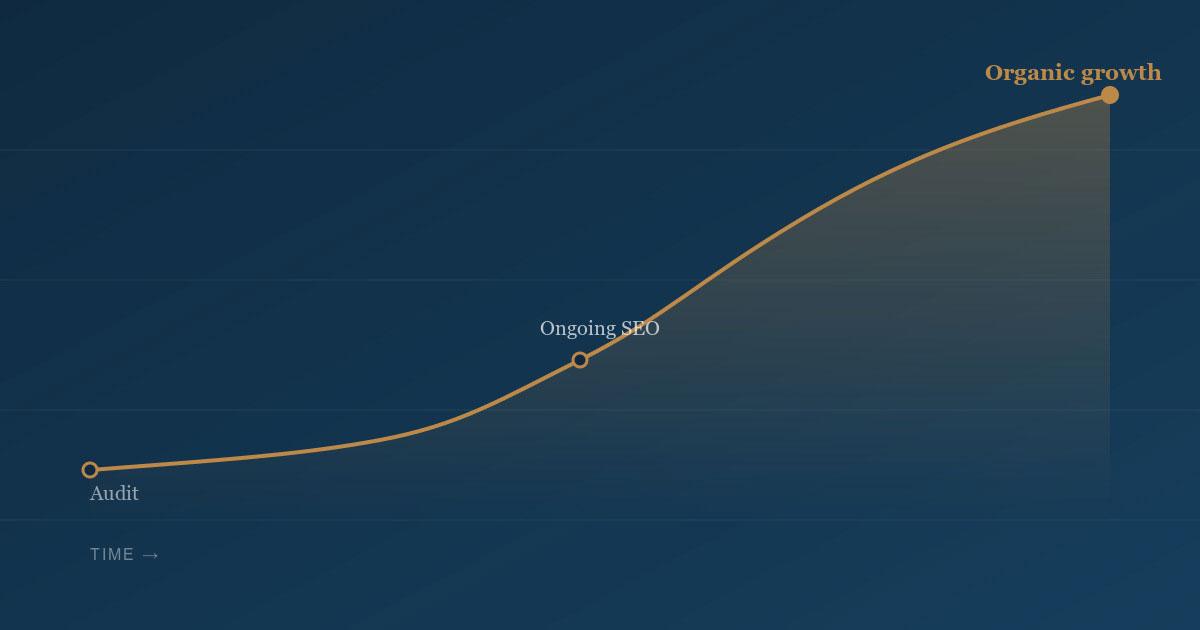
The good news is that narrow queries are won noticeably faster than broad ones. In my experience a page written precisely for a specific query reaches the first or second page within weeks, while on high-volume terms a young site sits at position fifty for years.
How long to wait if the site is new
A few days to a few weeks until first indexation. First positions on narrow queries — weeks. Noticeable visibility on commercial queries — months, depending on competition in the field.
What accelerates it: Search Console connected and a sitemap submitted, internal linking, first external links from anywhere, and new content appearing regularly.
What isn't worth doing: buying links in bulk, submitting the site to hundreds of directories, requesting reindexing daily. The first is risky, the second useless, the third accelerates nothing.
The order to work through when your site isn't in Google
1. Connect Search Console if it isn't. Without it, every later step is guesswork.
2. Check for a noindex and the robots.txt. Two minutes, and it's the most common cause.
3. Submit a sitemap and confirm it contains every page you want indexed.
4. Read the page indexing report and work through the statuses of excluded pages.
5. Check internal linking: every important page should have at least one link pointing to it.
6. If all of that is fine and there's still no traffic — the problem isn't indexation, and the work moves to content, structure and authority.
How I work on indexation and visibility
I combine development and SEO, so I look at the whole chain at once: indexation, positions, how well pages match queries, technical condition.
Technical audit — from €250. What specifically is in the way — blocks, structure, content or authority — and in what order to fix it.
Sometimes the audit's outcome is three tasks taking half an hour, and I say so: often it comes down to one checkbox left over from the build.
Where to start if your website isn't showing in Google
Reduced to one principle: establish first whether the site is in the index. These are two different jobs, and working on visibility while pages are blocked from indexing achieves nothing.
A practical step for today: search `site:` followed by your domain. No results — go and check for a noindex and the robots.txt. Results but no traffic — the problem is position, and that's long work rather than a technical fix.
If you'd rather settle it faster, write to me and I'll find what's keeping your site from being found.